
mk
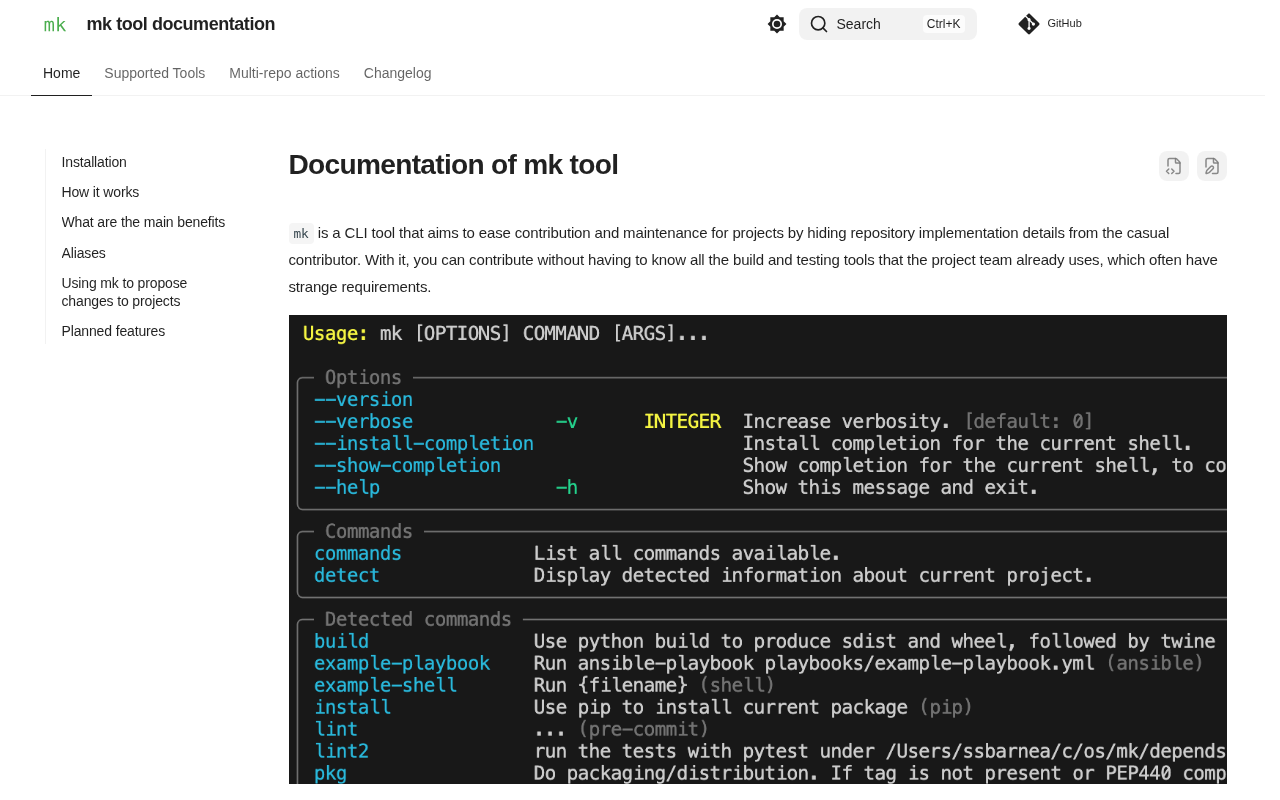
Exposes most common actions you can run in unfamiliar repos.
A command‑line interface that surfaces the typical operations a developer might need when working with a code repository they have not previously encountered. It aggregates and presents actions such as building, testing, linting, and running the project, allowing the user to discover and invoke them without first reading extensive documentation. The tool is intended for developers who frequently explore new or unfamiliar repositories and want a quick way to understand and execute the most common workflows.
By automatically detecting the repository’s structure and configuration files, the CLI offers a set of ready‑to‑run commands that map to the project's standard tasks. This reduces the time spent searching for build scripts, test runners, or other entry points, making the onboarding process smoother for engineers and contributors.
The utility is packaged as a stable, core component that can be installed and invoked directly from the terminal, making it suitable for integration into existing development environments and scripts.
Reviews
Loading reviews…
Similar apps
Terminals & CLI
fig
Reimagine your terminal
Terminals & CLI
Salesforce CLI
CLI tools for Salesforce

Terminals & CLI
readme-md-generator
Interactively generate README.md files.

Version Control & Git
GitKraken CLI
CLI for GitKraken
Terminals & CLI
Orka CLI
Orchestration with Kubernetes on Apple

Terminals & CLI
tmate
Instant terminal (tmux) sharing.