
CommandQ
Never accidentally quit an app again
CommandQ intercepts the macOS shortcut for quitting applications (⌘Q) and requires the user to hold the key combination for a brief interval before the quit command is executed. By introducing this short delay, the utility gives users a chance to release the keys if the press was accidental, preventing unintended termination of programs. The same mechanism can be applied to the window‑closing shortcut (⌘W), allowing users to avoid closing windows by mistake.
The software runs on both Intel‑based and Apple‑silicon Macs and respects the system’s dark‑mode setting. Users can configure CommandQ to protect all applications or limit its protection to a selected list of apps, providing flexibility based on individual workflow needs. The tool operates in the background, requiring no additional user interaction once configured.
CommandQ is positioned for macOS users who frequently work with multiple windows and applications and want a safeguard against common keyboard‑shortcut errors. Its focus is on a straightforward, system‑wide interception of quit and close commands without altering the underlying applications.
Reviews
Loading reviews…
Similar apps
Window & Desktop Management
SlowQuitApps
An OS X app that adds a global delay of 1 second to the Cmd-Q shortcut.
Task & Project Management
QBlocker
Stops you from accidentally quitting an app

Task & Project Management
QuitAll
Quickly quit one, some, or all apps
Window & Desktop Management
SwiftQuit
Enables automatic quitting of macOS apps when closing their windows.
Window & Desktop Management
RedQuits
Quit an app when closing the last window
Window & Desktop Management
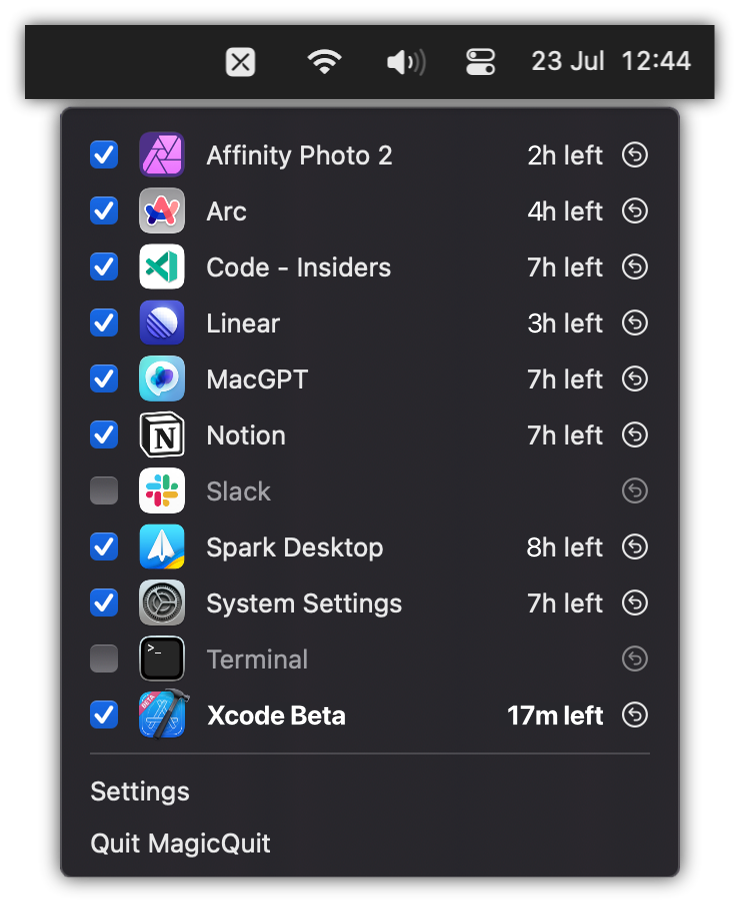
MagicQuit
Automatically quit inactive apps to reduce clutter and free resources.