
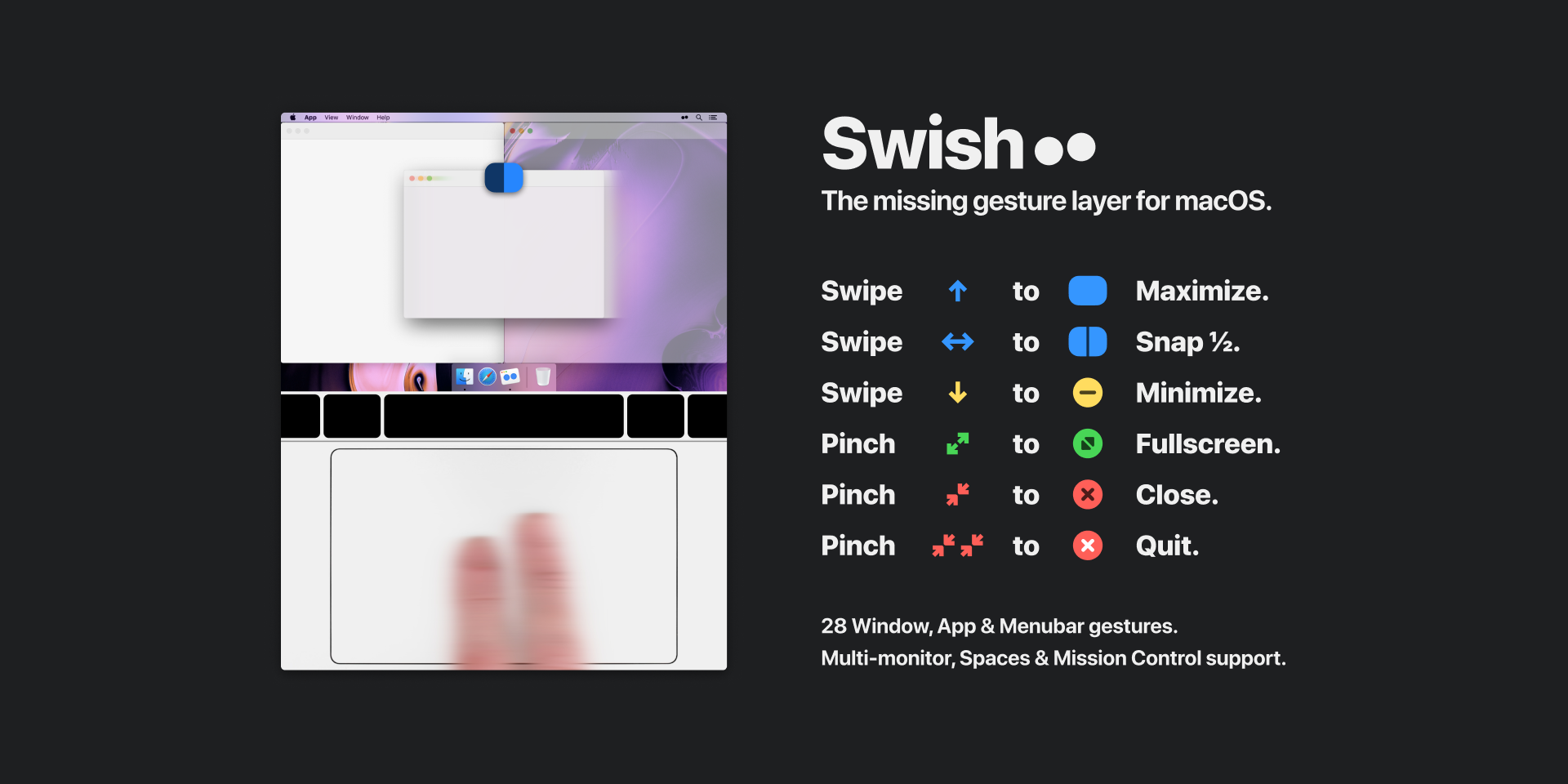
Swish
Control windows and applications right from your trackpad
Swish adds a comprehensive set of trackpad‑based gestures for managing windows, docks, and menu bars on macOS. Users can snap windows to 2×2, 3×2, or 3×3 grids with a simple swipe on the title bar, resize multiple windows simultaneously by dragging a divider, and move windows between monitors or spaces using directional swipes that respect the physical layout of a multi‑screen setup. The tool also maps common actions such as close, minimize, and fullscreen to pinch gestures, and it supports keyboard shortcuts using arrow keys, WASD, IJKL, and Dvorak layouts.
The software is aimed at macOS users who want faster, gesture‑driven control of their workspace without relying on mouse clicks or manual dragging. It works with the Magic Trackpad, Magic Mouse, and can be extended to other mice via third‑party utilities. A settings panel lets users enable or disable individual gestures and provides a tutorial for onboarding.
Swish distinguishes itself by integrating tightly with macOS visual conventions, offering pixel‑perfect grid alignment and the ability to resize several windows at once. Its gesture system is designed to be intuitive for Apple hardware while still supporting keyboard alternatives for broader accessibility.
Reviews
Loading reviews…
Similar apps
Window & Desktop Management
Swift Shift
Move and resize windows with keyboard shortcuts and mouse gestures.
Window & Desktop Management
Swift Shift
Window manager
Window & Desktop Management
Grid
Window manager

Task & Project Management
Multitouch
Add more gestures for Trackpad and Magic Mouse
Window & Desktop Management
Wins
Window manager

Window & Desktop Management
Sempliva Tiles
Window manager