
Fliqlo
Flip clock screensaver
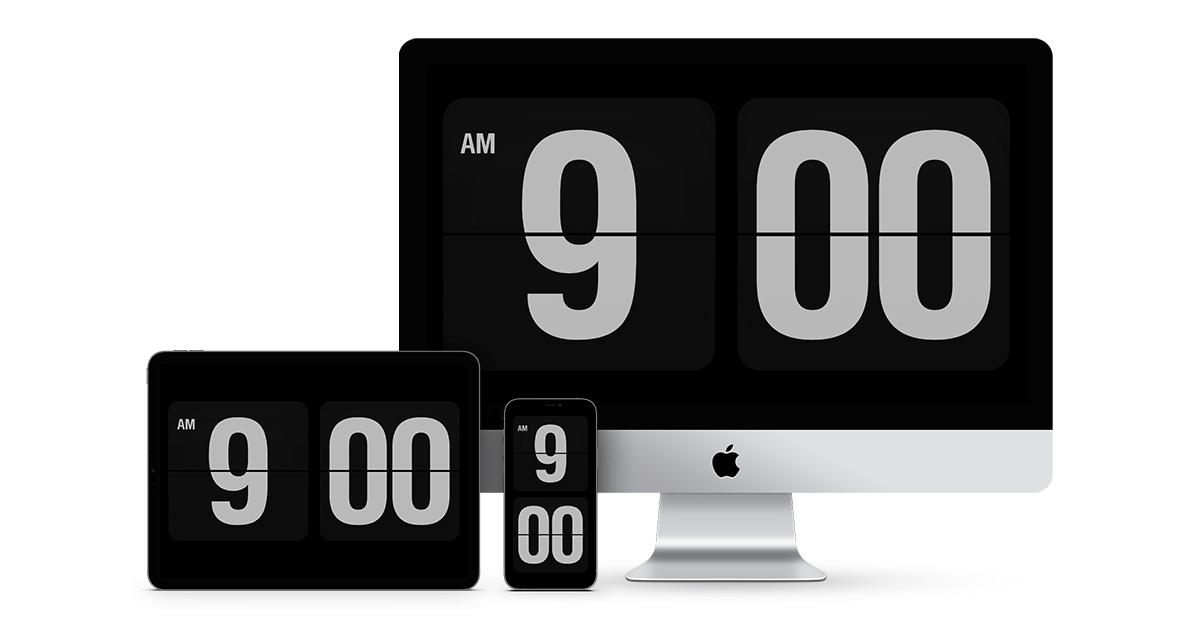
The software provides a flip‑clock style visual for both desktop and mobile platforms. On macOS and Windows it runs as a screensaver, rendering large white numerals with a flip animation against a black background. Users can toggle between 12‑hour and 24‑hour formats, switch portrait or landscape orientation, dim the display, hide the flipping flaps, and adjust the clock size. On macOS the clock can be limited to a single primary monitor or shown on multiple displays.
For iOS and iPadOS the product is an app that presents the same flip‑clock interface. It supports both iPhone and iPad, allows 12‑/24‑hour switching, portrait/landscape mode, optional seconds display on tap, dimming, and size reduction. Additional options include a sleep timer that respects the device’s auto‑lock settings and haptic feedback when flaps flip, where supported.
The tool is aimed at users who want a highly visible, minimalist time display on their devices, whether as a desktop screensaver or a mobile clock app. It is free for macOS, Windows, and iOS/iPadOS (with a paid subscription for some mobile features), and requires recent operating system versions (macOS 14+, Windows 11, iOS 18+).
Reviews
Loading reviews…
Similar apps
Window & Desktop Management
Epoch Flip Clock Screensaver
Flip clock screensaver

Display & Accessibility
Clock.saver screensaver
Screensavers inspired by Braun watches
Display & Accessibility
Simple Clock Screensaver
Simple analogue clock screensaver written entirely in Swift
Display & Accessibility
Cadran
Renders 22 customizable clock faces on your Mac desktop wallpaper and screensaver.
Display & Accessibility
XScreenSaver
Screen savers
Window & Desktop Management
Fruit Screensaver
Screensaver of the vintage Apple logo